
Everything in one place. Not behind one lock.
Passwords, 2FA codes, recovery kits, files and developer secrets. Keep them together, choose how each one opens, and stay in control when AI tools ask for access.
We can’t read your things. The source code is coming soon.
-
NetflixEasyOpens whenever your vault is open. It fills in on its own.
-
Bank recovery codesFort KnoxNobody but me. Your fingerprint, then your security key, every time.
-
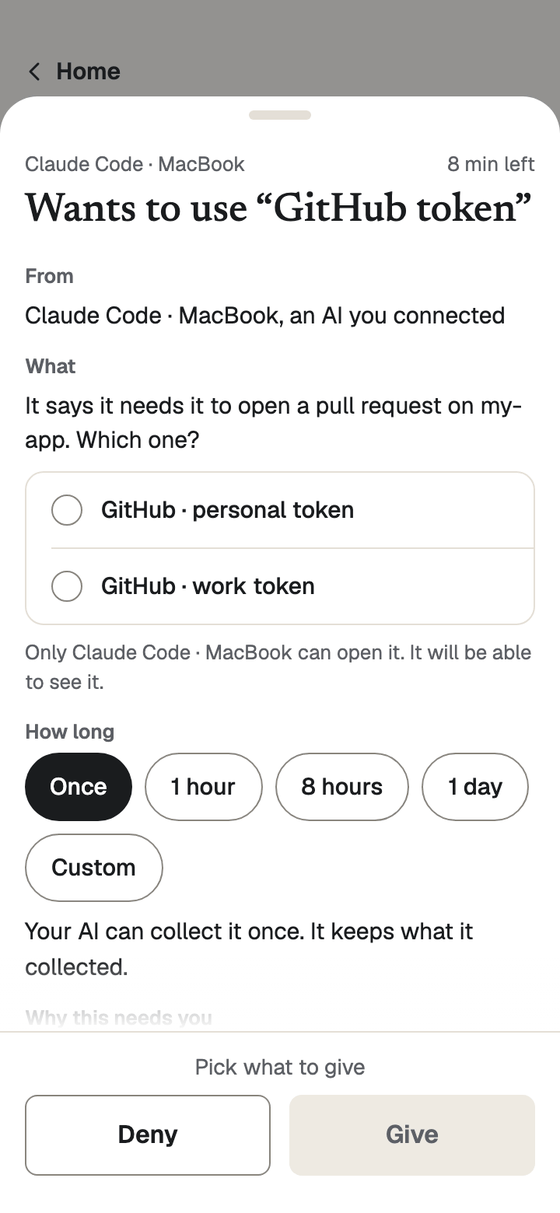
Claude Code on your laptopWants to use GITHUB_TOKENTo open a pull request on my-app. Once, or for a time you pick.DenyGive
Your Netflix password and your recovery codes aren’t equally important. Why protect them the same way?
Every thing you save gets its own lock, and you pick it when you save. Four to choose from.
- Easy
- Opens whenever your vault is open. For Netflix, the wifi, the gym.
- Just me · the default
- Your phone’s screen lock, now, for this thing. For shopping and most logins.
- Two devices
- Your phone, plus a yes from your other phone. For your email.
- Fort Knox
- Your fingerprint or face, then your security key. For the bank, your crypto, recovery codes.
Someone who takes your phone and knows its PIN gets the Easy and Just me things. Two devices and Fort Knox stay shut. How the locks work →
Your laptop can ask. Your phone decides.
Your laptop and your AI tools hold no keys. When one needs a login or a key, your phone shows who is asking and for what, and you say yes or no there.
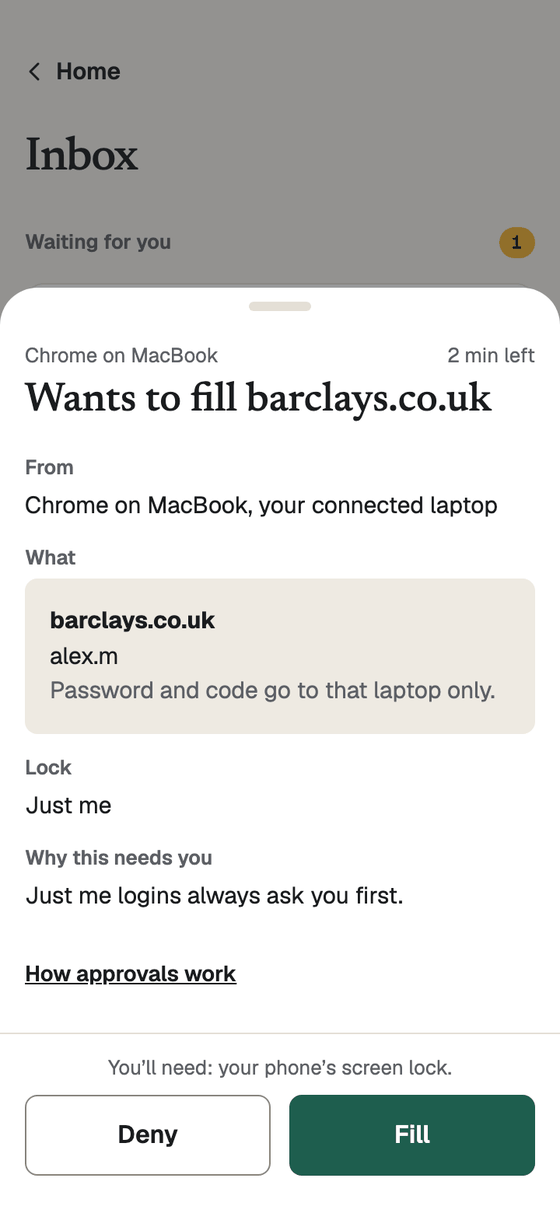
Chrome fills a login.
Click the field on your laptop, approve on your phone, and the password goes to that laptop only. Easy logins can fill on their own for an evening, if you let them.
Chrome signs in with a passkey.
When a site asks for a passkey, Vando offers the one in your vault beside Chrome’s own. Approve on your phone and that laptop is signed in. The passkey never reaches the laptop, and a new one made on a site is saved to your vault too.
Claude Code runs a command with a key.
vando run --secret STRIPE_KEY -- node send.jsasks your phone; you give the key once or for a time you pick, and it goes into that one command, not the chat.A whole project’s .env files move into your vault.
vando initbrings them in with one Save on your phone. An env file can then point at your vault instead of holding a value, and the file itself holds nothing to leak.
Writing code? For developers →
How it works.
Your phone holds the keys. Everything else asks it.
Something asks.
Your laptop, a new phone or an AI wants something of yours.
You decide on your phone.
You see who, what and for how long. Yes or no.
It gets that one thing.
Nothing else, and every yes is kept on record.
Why it’s safe.
Your things are locked on your phone before they leave it, so we keep a copy we can’t open. Every yes is made on your phone, not on our servers. If you lose your phone, your other phone or your recovery kit gets you back in.
Get started.
About ten minutes on your phone.
Your phone.
Get the Vando app and bring your passwords in from Bitwarden, 1Password, LastPass, Chrome and others.
Get the appYour laptop.
Add the Chrome extension.
Add your laptop →Your AI.
Connect Claude Code, on your laptop or in the cloud.
Connect an AI →